TeamON partner brief
AI gets work done.
The company keeps the know-how.
TeamON is an enterprise system for AI agents. Agents handle enquiries, check data and perform authorised actions. People direct the work, while the company retains its knowledge, rules and results.
- persistent agents with business context
- actions in your business systems
- client-controlled knowledge and results
- interchangeable models and runtimes
What the company buys
An AI function tailored to its workflow: several connected tasks, access to relevant data, an application and a trained team. For example, handling enquiries from the first message to a booked meeting.
TeamON provides the platform. The partner appoints an operator, implements the solution and manages the client relationship. The licensing model is 50/50.

01 · Product
What makes up TeamON
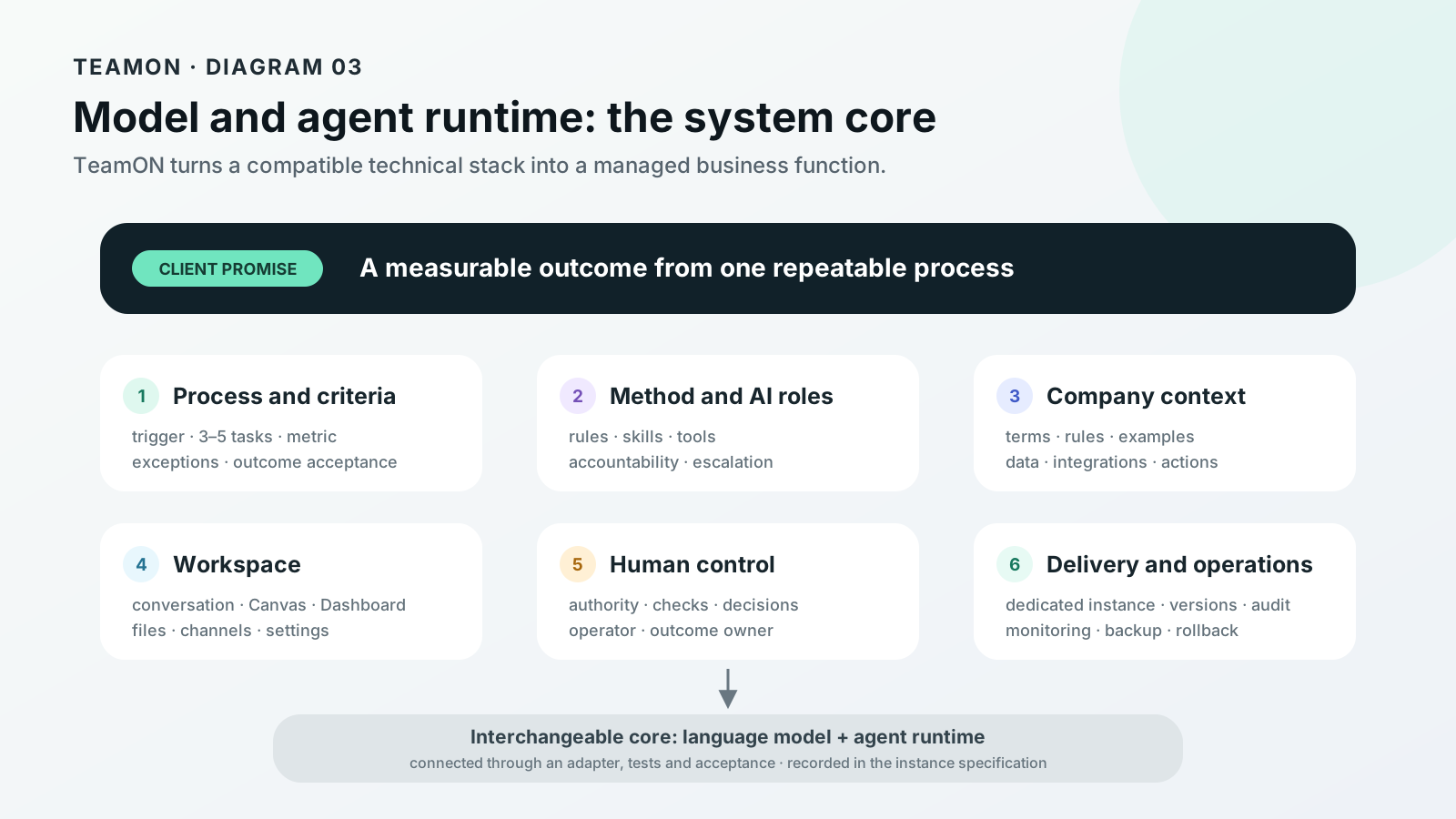
The system engine, application and deployment tools. The partner’s operator adapts this foundation to the client’s workflow; TeamON provides platform support and helps with complex technical issues.
Agents with defined responsibilities
Each agent has a task, instructions, skills, tools and working context. A sales agent follows an enquiry; an operations agent follows an exception through to resolution.
Company knowledge
Terms, rules, examples, decisions and exceptions stay in the company instance. Each agent receives the context its role is authorised to access.
Integrations and actions
CRM systems, spreadsheets, documents, APIs, channels and browser tools are connected to the agreed workflow. Agents read data and perform authorised actions.
Team application
Conversations, files, voice input, a working canvas and a company dashboard. Discuss, revise, download or hand over the result.
Access and oversight
The owner sets permissions. An authorised operator can review work conversations and operations, verify results and correct the cause of an error.
Deployment and improvement
A dedicated instance, versioning, backups and recovery. New functions build on the validated foundation; updates can be tested and rolled back.
Starter kit: application, skills and deployment tools
The partner starts with the existing Staff foundation. A skill pack is a set of working methods for an agent: when to use them, what to check, which steps to follow and what result to deliver.
Analysis and product
Gather company context, research a question using sources and compare options. Shape the offer: target customer, outcome, scope, price and demand validation.
Sales and documents
Review a prospect’s enquiry, prepare a response and plan the next contact. For a document, establish its basis and check facts, amounts, dates and missing information.
Management and development
Assign responsibility and verify the outcome. Prepare a working interface, investigate an instance failure or assess a support programme or grant against its terms and deadlines.
These methods are included in the base Staff package. The operator selects those the client needs and adds industry rules and checks. A skill does not by itself connect a CRM, grant access or replace legal expertise.
What does the operator receive to build and launch the product?
Instructions for building the product and releasing a version, a dedicated instance configuration, and procedures for backup, installation, verification and rollback. Operator MCP provides access to the selected instance from a compatible AI tool. TeamON helps with the first launch; new integrations or industry packages are agreed separately.
02 · Lasting value
Every implementation builds a company asset
With fragmented AI use, useful solutions remain in separate chats and scripts. In TeamON, validated know-how can become reusable rules, skills and quality checks.
Operational knowledge
How to calculate margin, who handles an exception and when to follow up with a client. The company spends less time explaining the same rules.
Reusable methods
Instructions, templates, skills and quality checks. Another employee or agent can continue the work using the validated method.
Decision history
Work conversations, outputs and approved changes help explain what happened, correct mistakes and bring new team members up to speed.
A foundation for expansion
Integrations, roles and operating procedures are reused. The next function needs less preparation.
This builds the company’s intellectual and operational capital. We assess its value through reuse, quality and time to proficiency. It does not guarantee a higher company valuation or automatic learning after every conversation.
03 · Advantages
Individual tools become a shared way of working
TeamON is useful when people and agents need common rules, continuity across handoffs and accountability for results in company systems.
| With fragmented AI adoption | What TeamON adds |
|---|---|
| Knowledge in individual chats Useful instructions and decisions are hard to find and reuse. | Context in the company instance Operating rules and validated outputs are retained with defined access boundaries. |
| Managers see only the final output It is unclear where an error occurred or who will take over. | Traceable work The results dashboard, authorised conversation history and operation logs help explain how the work unfolded. |
| Everyone automates separately Similar scripts and prompts are maintained separately and drift apart. | A shared product foundation Validated skills, integrations and checks are reused by subsequent functions. |
| Data is moved by hand Employees copy context between the CRM, spreadsheets and AI chat. | Work in connected systems Integrations or browser tools bring context and authorised actions into the workflow. |
| Everything depends on the builder When that person leaves, recovering the logic and fixing failures becomes difficult. | Versions, procedures and an operator The method is documented, changes are tested and someone owns support. |
Enterprise editions of ChatGPT, Codex, Claude and other platforms also offer management controls. The comparison here is with fragmented working practices: TeamON delivers and maintains a specific workflow on a suitable technology stack. Employees’ personal accounts are not connected automatically.
The right model for the task
We select a cloud, enterprise or local LLM for quality, speed, cost and data requirements, then test it on the company’s examples.
Interchangeable runtime
An external agent harness, our own core or the client’s runtime connects through a compatible adapter. Each new combination is validated separately.
Keep what already works
We include the client’s prompts, agents, skills and integrations when they fit the task and pass validation.
04 · Use cases
What changes in day-to-day work
Scenarios to configure for each client. Each has an input, an action, an outcome and a metric. We assess the return against a measured baseline.
Sales
Every enquiry has a follow-up
The agent builds a record from the enquiry and CRM history, identifies missing information, drafts a reply and schedules a follow-up. A manager approves prices and commitments.
- Outcome: the record is updated, follow-up is scheduled and the enquiry stays on track.
- Knowledge retained: qualification criteria, answers and objection-handling rules.
We measure response time, unhandled enquiries, meetings and conversion.
Marketplaces
A financial exception leads to action
Using exports or APIs, the agent checks stock, margins and advertising, explains exceptions and assigns a follow-up task. Prices and budgets change only within the authority granted.
- Outcome: stock-out or loss risk is checked and an action is assigned.
- Knowledge retained: formulas, thresholds and approved response methods.
We measure detection and response time, losses and hours spent on manual checks.
Management
Every issue has an owner and a deadline
The agent gathers updates from approved sources, flags delays and gaps, and prepares a proposed response. A manager assigns the action and sees progress on the dashboard.
- Outcome: the task is assigned, a deadline is agreed and completion can be verified.
- Knowledge retained: causes of exceptions, decisions and escalation rules.
We measure time to decision, overdue tasks and tasks without an owner.
Documents and knowledge
Employees become effective sooner
Using approved instructions and examples, the agent explains the procedure, helps prepare a document and refers unusual cases to an expert.
- Outcome: a working document is prepared and checked against company rules.
- Knowledge retained: resolved questions, templates and quality criteria.
We measure preparation time, rework and mentor time.
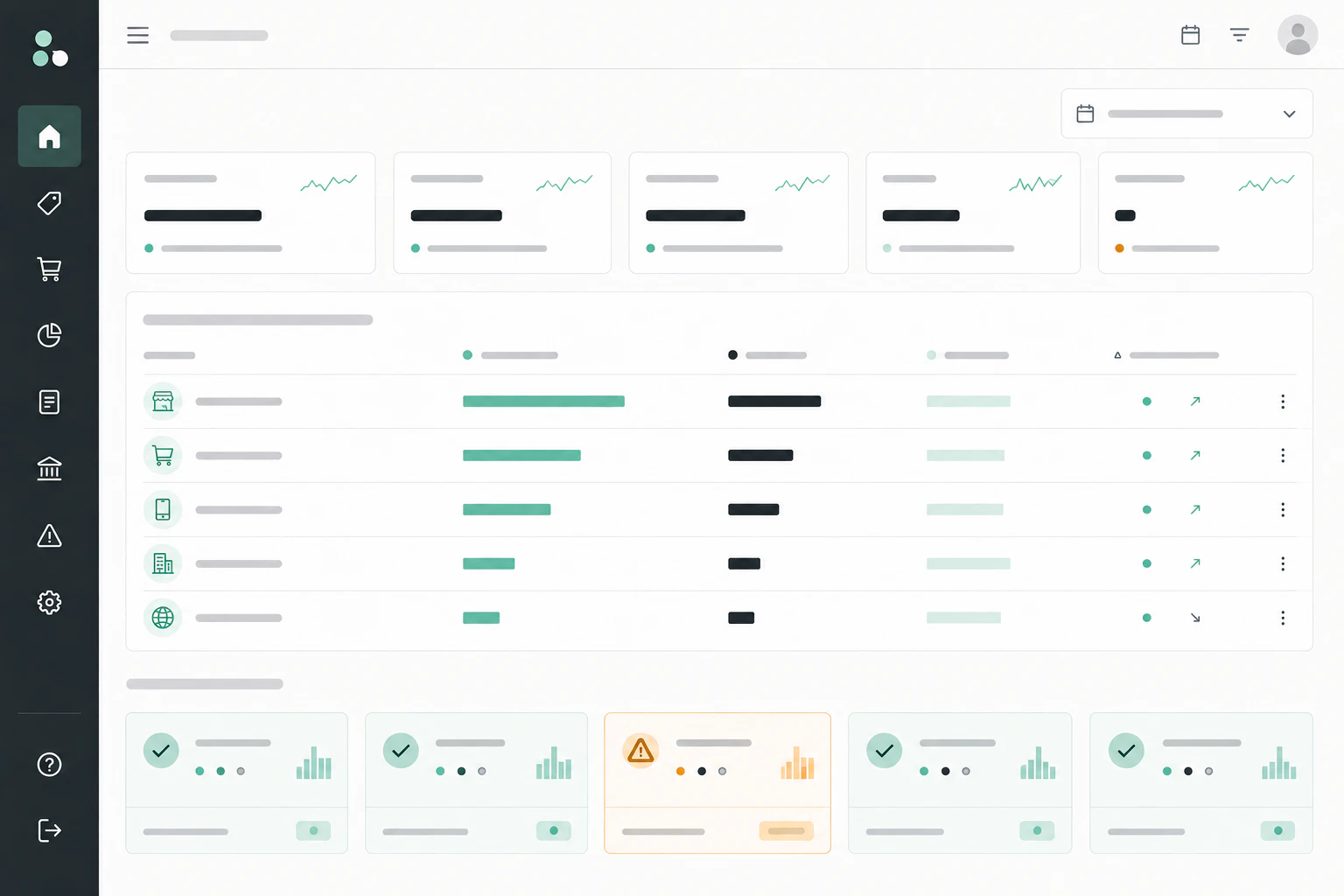
Measure the economics of the actual workflow
We compare results against the baseline and include models, infrastructure, implementation and support in the cost. Freed-up hours are assessed separately: they create financial value when costs fall or output increases.
Incremental gross profit + verified reductions in costs and losses − total solution cost. No double counting.
05 · How it works
From trigger to completed task
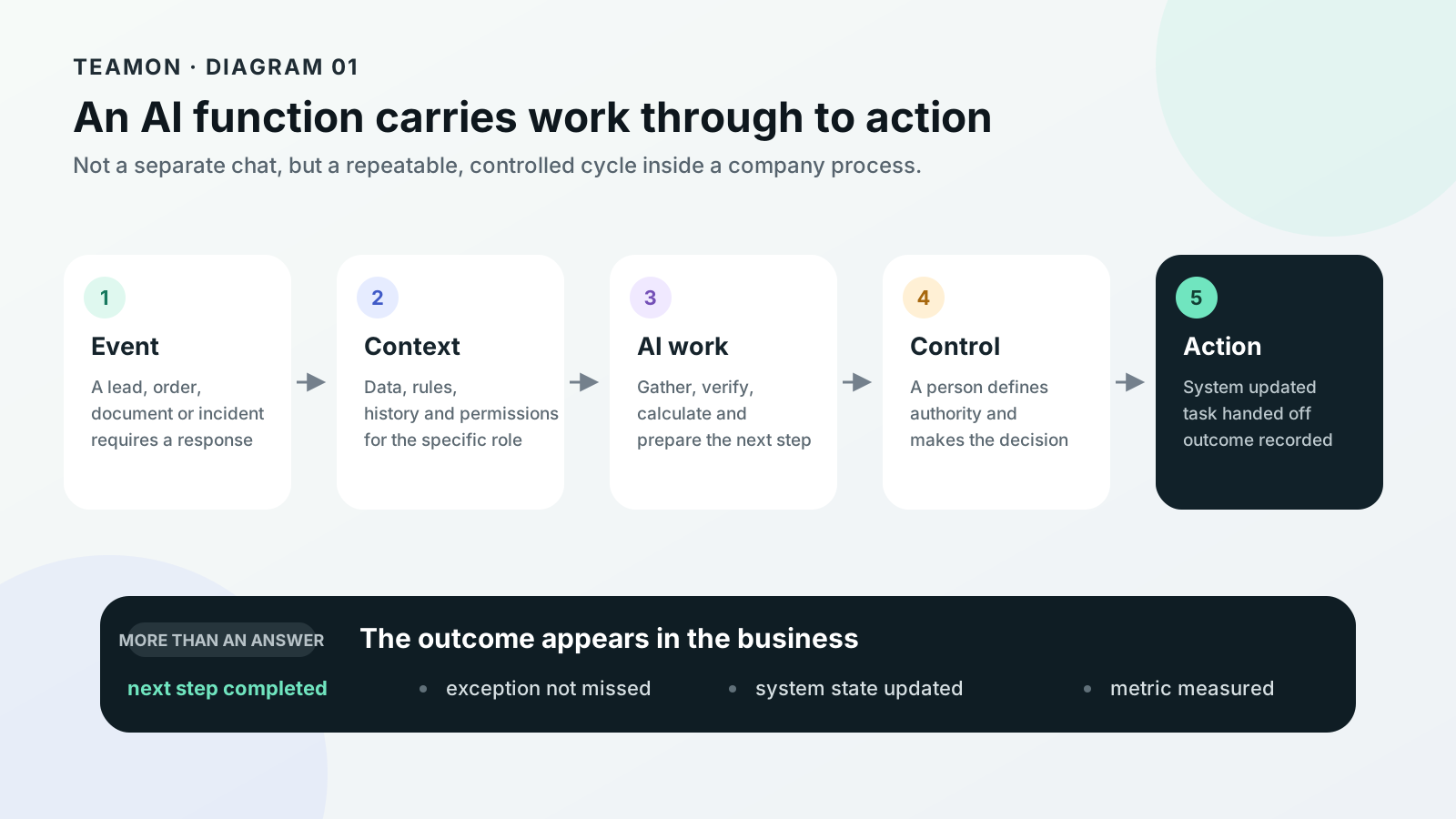
A message, schedule or connected event starts the workflow. Permissions define what the agent can do independently and when a person takes the decision.
- EventA lead, order, document or incident requires a response.
- ContextThe system reads only approved data, rules and operating history.
- AI workIt gathers, checks, calculates and prepares an action.
- ControlA person makes the decision whenever the cost of error is high.
- OutcomeThe task is handed off, the record is updated and the metric is measured.
06 · Implementation
The partner’s operator guides the client through launch
A first launch usually covers 3–5 connected tasks. The client appoints an outcome owner, the partner assigns an operator and TeamON provides a technical specialist to support implementation.
Identify costly routine work
The partner and operator review real enquiries, documents or losses. Together with the client, they record the workload, baseline metric and responsible person.
Agree on the outcome
The operator documents the steps and exceptions. The partner agrees on scope, price and acceptance criteria; TeamON checks technical feasibility.
Connect business systems
The operator deploys the instance using TeamON’s instructions and configures roles and access. New adapters and complex integrations are reviewed with TeamON.
Give the agent a working method
The operator adapts skills and adds the client’s rules and examples. They test typical cases and exceptions before external actions are authorised.
Train the team to use the system
The operator walks employees through their tasks: requesting work, checking results, providing corrections and reporting errors. The partner removes obstacles to launch.
Approve and hand over to operations
The client verifies the agreed outcome. The operator hands over the operating procedures; the partner agrees on support, regular value reviews and the next step.

07 · Hosting and ownership
On TeamON, partner or client servers
Choose hosting to meet data, access and operational requirements. Company knowledge and outputs remain its assets wherever the system runs.
Hosted by TeamON
A dedicated managed instance. TeamON provides the agreed servers, service and data handover process at exit.
Hosted by the partner
The partner hosts client instances on its infrastructure and delivers an industry-specific service. Each company’s data stays isolated.
Hosted by the client · self-hosted
The client’s server or corporate cloud. The company controls the infrastructure and grants TeamON or the partner the agreed access.
The company retains
- data, accounts and source systems;
- working context, outputs and decision history;
- approved rules, exceptions and client adaptations as agreed by contract;
- agreed export and migration arrangements.
Licensed from TeamON
- platform code and the shared product foundation;
- build, deployment and operations tools;
- updates and support under the chosen terms;
- usage rights defined in the licence agreement.

How can a company avoid dependence on one vendor?
Before launch, we agree on export contents and formats, required access and the migration procedure. Client knowledge is separate from platform code. Models and runtimes can be replaced through adapters and workflow validation; migration may require engineering work.
What does a closed environment require?
Data, computation and required integrations must all stay within the authorised infrastructure. A self-hosted server using an external LLM does not meet that requirement on its own. A fully isolated configuration is built and validated separately.
Who can access work conversations and take action?
Each role works with the context it can access. Responsible team members see results on the dashboard; an authorised operator can access selected work conversations and operations. Personal employee accounts are not data sources by default. Access boundaries are defined during implementation.
What happens when an employee or operator leaves?
The company retains the knowledge and outputs stored in its instance. The person’s access is revoked and tasks are reassigned. When support ends, we carry out the agreed export or migration; continued platform use is governed by the licence.
08 · Workspace
Assign a task, then work with the result
The main application runs in the browser. Channels, models and schedules connect to the same instance to support company workflows.
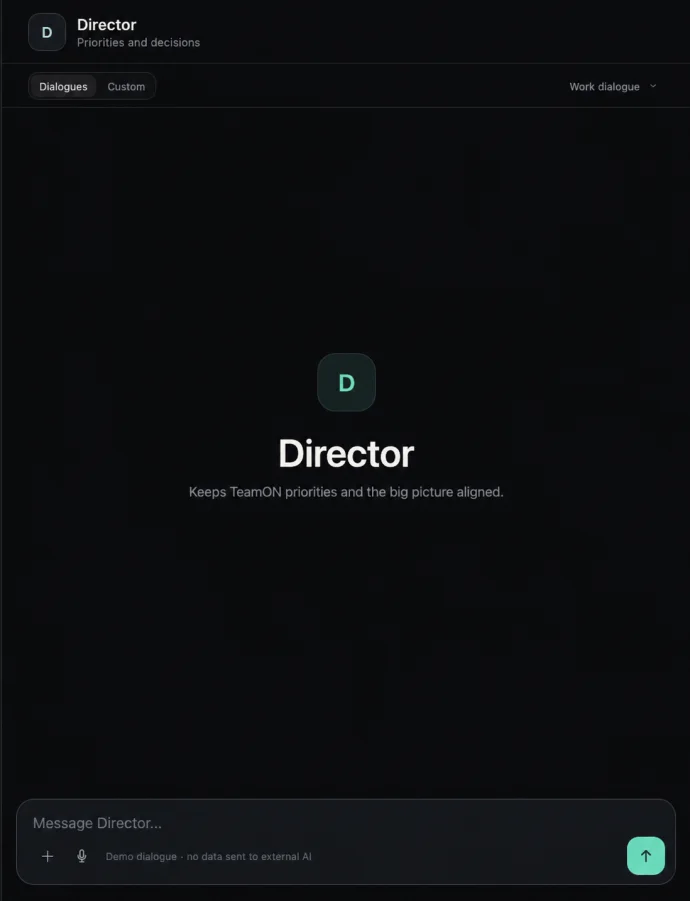
Persistent agentContinues the work conversation with its role’s instructions and context.
Files and voicePhotos, PDFs and text attachments; voice becomes an editable draft.
Working canvasA table, analysis or other task-specific view. Request changes in plain language.
Company dashboardShared results and issues to discuss with the responsible agent.
Execution controlsStop a response, revisit the history and download a prepared file.
Scheduled workRecurring tasks run without a new prompt. Event sources are connected for the workflow.
Web application capabilities are supported by the internal Staff 0.2.44 acceptance documentation. The selected model must support the required attachments; DOCX, XLSX and PPTX uploads are not yet accepted directly in chat. Telegram and MAX require configuration and separate channel validation.
09 · Browser workflows
Show the work. Identify what can be repeated.
Some know-how lives in an employee’s actions: which tabs they open, what they cross-check and where they move data. The desktop application and browser extension help make that sequence explicit.
Demonstrate a task
Enable observation and perform an agreed work task. The local bridge records the action trace and available page context.
Implemented in TeamON NodeDefine a repeatable method
Turn the demonstration into a draft instruction or skill. A specialist clarifies exceptions, required access and expected value.
Foundation available · configuration requiredValidate the automation
Test the method on new examples, compare it with a person’s work and gradually delegate routine actions to the agent.
Full Staff workflow in developmentThe observation scope is agreed before connection; recording is explicitly enabled and can be stopped. The extension and local log exist. End-to-end process discovery and automatic learning across all agents are not yet part of the validated Staff release.
10 · The partner’s operator
Implements. Coaches. Fixes the causes of errors.
This is a person on the partner’s team, not another bot. They understand the client’s workflow, configure the agents and continue coaching them after launch.
Configures the workflow
Connects sources, selects skills and sets rules and schedules. Checks results with employees and teaches them how to use the system.
Refines skills through practice
Reviews an incorrect answer or action. Clarifies the instruction, adds an example, tests the correction on similar cases and releases a new version.
Maintains quality
Reviews samples of results, new exceptions and model usage. Follows the maintenance procedures and escalates platform failures to TeamON.
Example: fix the rule, not a hundred answers
An agent offers a wholesale discount to retail customers. The operator clarifies the conditions, adds edge-case examples and tests both order groups. The client approves the correction; if quality declines, the operator restores the previous version.
Error → cause → skill update → verification → new version
How does the operator use Operator MCP?
From a compatible AI tool, the operator connects to the selected instance to check its status, read authorised context and prepare changes. The client grants permissions and can revoke access. Companies do not share a common conversation store.
Here, learning means refining instructions, context, skills and checks; it does not necessarily involve changing LLM weights. The fully automatic apprenticeship cycle is still in development. Review frequency, operator hours and response times are covered by the support agreement.
11 · Product readiness
What is available and what each client needs configured
Based on acceptance documentation dated 5 September 2026. The interface shown and internal operations support the product foundation; each external deployment is validated on client data.
Validated in internal Staff
Version 0.2.44: persistent conversations, memory, canvas, company dashboard, attachments, voice input, task cancellation, schedules and operator actions. The documentation records 10 out of 10 acceptance checks passed.
Working product foundationConfigured for the workflow
CRM and other sources, working roles, channels, model, permissions, hosting and quality criteria. Compatibility and outcomes are checked on the actual configuration.
Part of implementationNext development stage
Learning from work across applications, automatic suggestions for new workflows and additional runtimes. Technical building blocks do not replace client validation.
Product developmentPublished case studies demonstrating measured ROI for the new Staff and repeatable delivery to independent companies remain to be established. The examples on this page illustrate use scenarios.
12 · Partnership
You lead the client relationship. TeamON develops the platform.
The partner sells, implements and develops an industry solution on the licensed TeamON engine. They appoint their own operator; TeamON helps with initial launches and supports the technical foundation.
Sales and launch · partner
Finds clients, understands their needs, runs demos and agrees on terms. Appoints an operator, arranges access and carries implementation through to client sign-off.
Customer success · partner
Tracks whether the team uses the solution and benefits from it. Collects feedback, removes obstacles and discusses metrics, renewal and additional workflows.
Platform · TeamON
Develops the engine, application, base skills and deployment tools. Prepares updates, supports the operator and investigates platform errors.
One client, one point of contact
The client contacts the partner. The operator handles workflow and configuration issues; TeamON steps in for technical platform problems. On-call coverage and response times are agreed in advance.
Every project builds your expertise
The partner builds industry skills, templates and checks for future implementations. Generalised improvements are transferred only with permission, after removing client data and completing a review.
Licensing partnership · 50/50
50% to the partner and 50% to TeamON, applied to an agreed calculation base. The agreement defines which payments are shared, how costs, refunds and taxes are treated, when settlement takes place and who serves the client.
TeamON owns the platform foundation. The partner owns its industry methods. The client owns its company data and knowledge. The agreement formalises these rights.
- 1 · Choose a niche and an operator
- 2 · Agree on licensing and economics
- 3 · Build a demo with TeamON
- 4 · Implement and sign off
- 5 · Retain and grow client accounts
Initial implementation · $1,500
A planning price for a focused first launch: process discovery, function configuration, a company instance, basic integrations, training and client sign-off. We fix the final price after reviewing the workflow; infrastructure, models and ongoing service are agreed separately.
50/50 refers to the agreed receipts shared under the licensing model. It does not transfer half of the company or exclusive rights to the platform. Branding, rights to supply the product to clients and ownership of modifications are defined in the agreement.
Founder
Larry Ngomirakiza
AI engineer, mathematician and AI systems architect.
Larry designs the TeamON engine and helps the partner’s operator through the first implementation: choosing the technical setup, adapting the method and verifying the result. His goal is to make subsequent launches repeatable.
13 · Questions
What to know before the first project
Answers on purchasing, control, knowledge and system expansion.
When is TeamON unnecessary?
When a personal AI chat is enough and the task does not need shared rules, integrations or regular oversight. If a workflow does not recur or its value is lower than the cost of implementation and support, we first choose a simpler solution.
Does the operator need to be a programmer?
The operator needs to understand the workflow, work with instructions, data and configuration tools, and verify results. A new API, adapter or non-standard infrastructure requires an engineer; that work is planned separately with TeamON. Initially, the partner may combine sales, client support and the operator role.
Why not build everything independently?
You can. Beyond the agent, you will also need to maintain the application, context, access, versions, installation and recovery. With TeamON, the operator adapts an existing foundation and skills rather than developing everything from scratch. A joint demo shows how much of the existing product fits your niche.
Must the company keep paying for support?
Support pays for agreed work: operations, exception handling and improvements. If the service ends, a new responsible party must be appointed. Licence continuation, infrastructure and export terms are defined separately.
How do we assess whether implementation will pay off?
First, measure workload, losses and team costs. Then test quality on a sample and calculate the full solution cost. Client sign-off confirms the agreed outcome; we do not promise a universal percentage increase in profit.
Our first project together
Choose a client and your operator
Using a real task, we will show what TeamON already provides, what needs configuring and how to verify the value. We will then agree on the scope of the first implementation and the partnership economics.
- What does the team repeat every week?
- Where is money or time being lost?
- Which knowledge lives only with specific people?
- Which systems and data are needed?
- Who will sign off on the outcome?